

All Patients View
Last updated August 20, 2026
New Updates for All Patients View
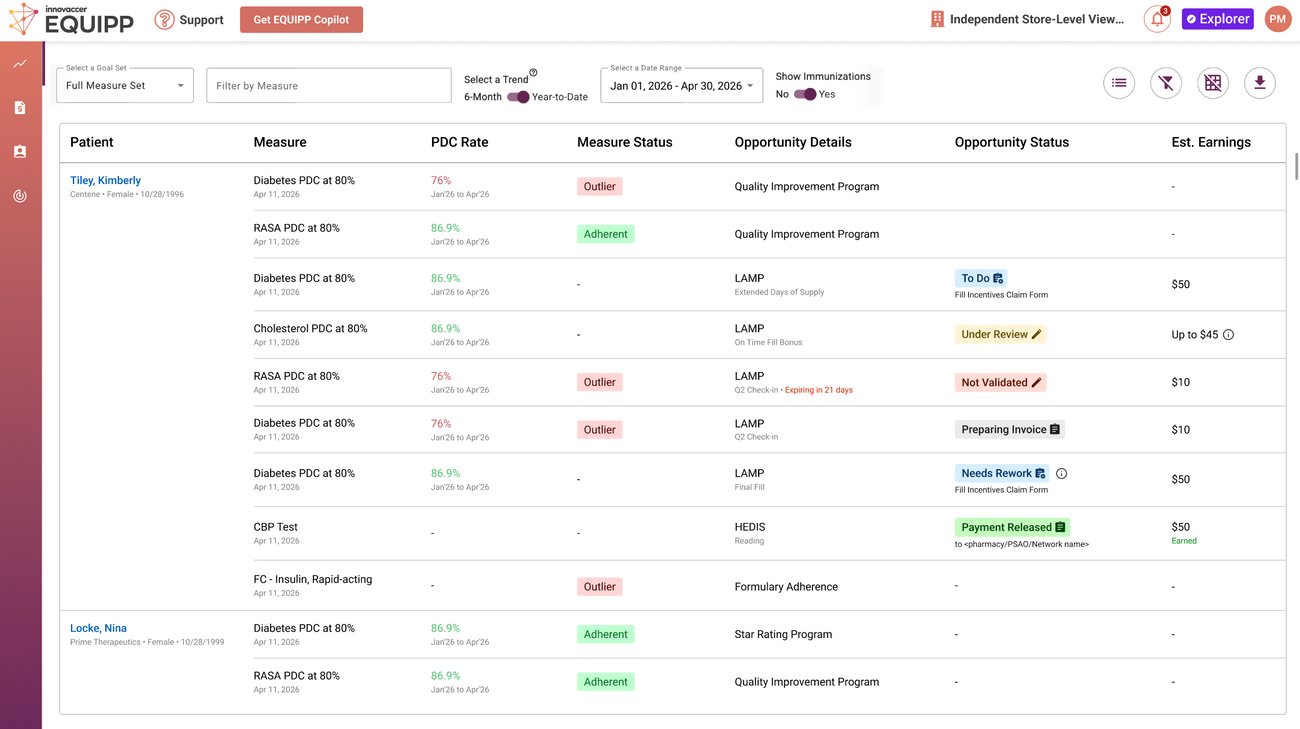
The newly updated All Patient View tab in the EQUIPP Dashboard now delivers a single, comprehensive list of all patient engagement opportunities. This update offers easy navigation and improved filtering functionality, enabling you to quickly identify and prioritize outreach efforts. Download the complete list to streamline patient communication and drive more effective patient health outcomes.
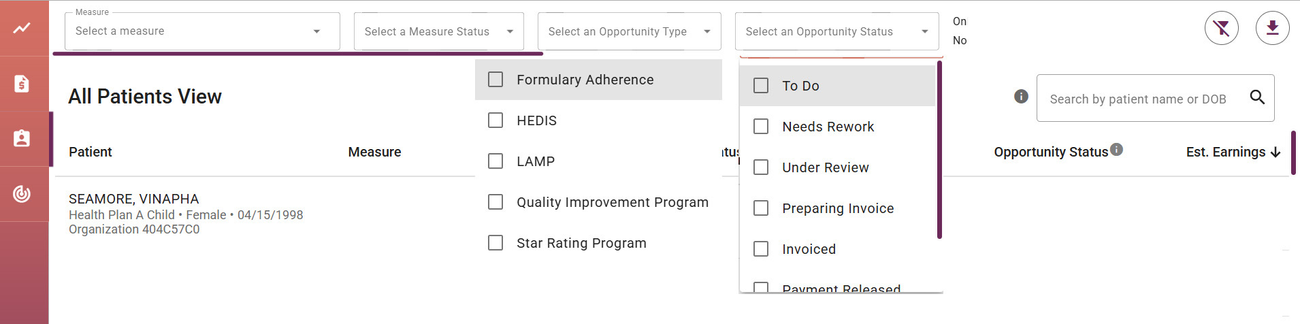
Three new top bar filters include
✅ Select an Opportunity
✅ Select an Opportunity Status
✅ Select a Payer Program
✅ Patient Opportunities Near Expiration Toggle Switch
Within the patient list, the measure status adherent and outlier are clearly marked by either a green box (adherent) or pink box (outlier). Documentation opportunities are marked by a blue box for "To Do" under the Opportunity Status column. After they are worked they will either move to "Under Review" or "Preparing for Invoice".
While the patient view is new, the documentation process remains the same. To document your patient opportunity, click on the "To Do" button or navigate to the Enhanced Services tab (the bullseye/target).