
My Programs Overview
Last updated February 20, 2026
The My Programs tab displays performance data for payer-specific programs that have agreed to share detailed program information through EQUIPP®.
This page connects program performance metrics, including patient counts and performance scores to potential financial impact. It is designed to help pharmacies understand:
- Which programs they are participating in
- Current performance status
- Where improvement opportunities exist
- How performance may impact financial incentives
Programs appear in this tab only when a health plan or payer has enabled detailed program-level reporting.
How to Navigate the My Programs Tab
1. Access My Programs
From the left navigation menu on the EQUIPP Dashboard, select My Programs.
2. Review Program List
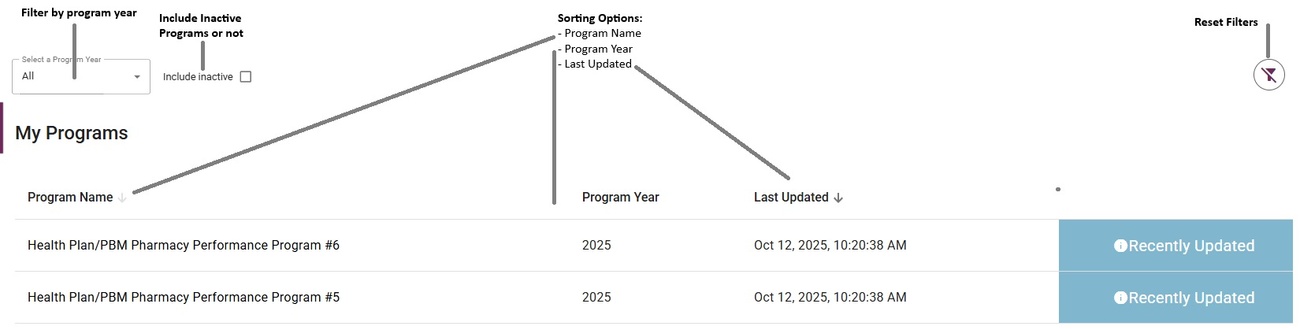
The main view displays:
- Program name
- Program year
- Date of most recent data update
This ensures you are reviewing the most current available data.
3. View Program Details
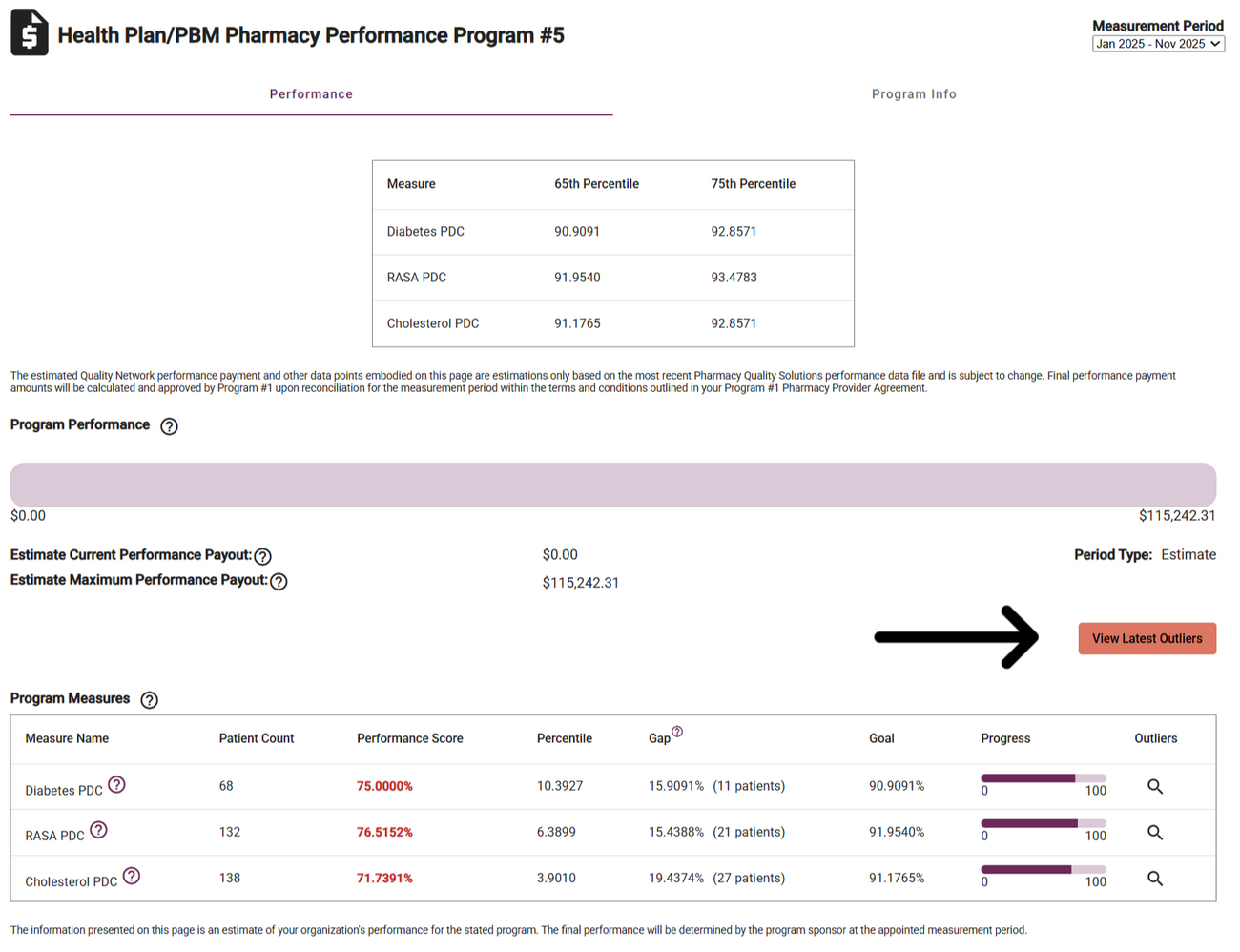
Click on a program name to open detailed performance information.
The first page displayed shows your pharmacy’s program performance summary.
To learn more about the structure or requirements of that specific program, select Program Info.

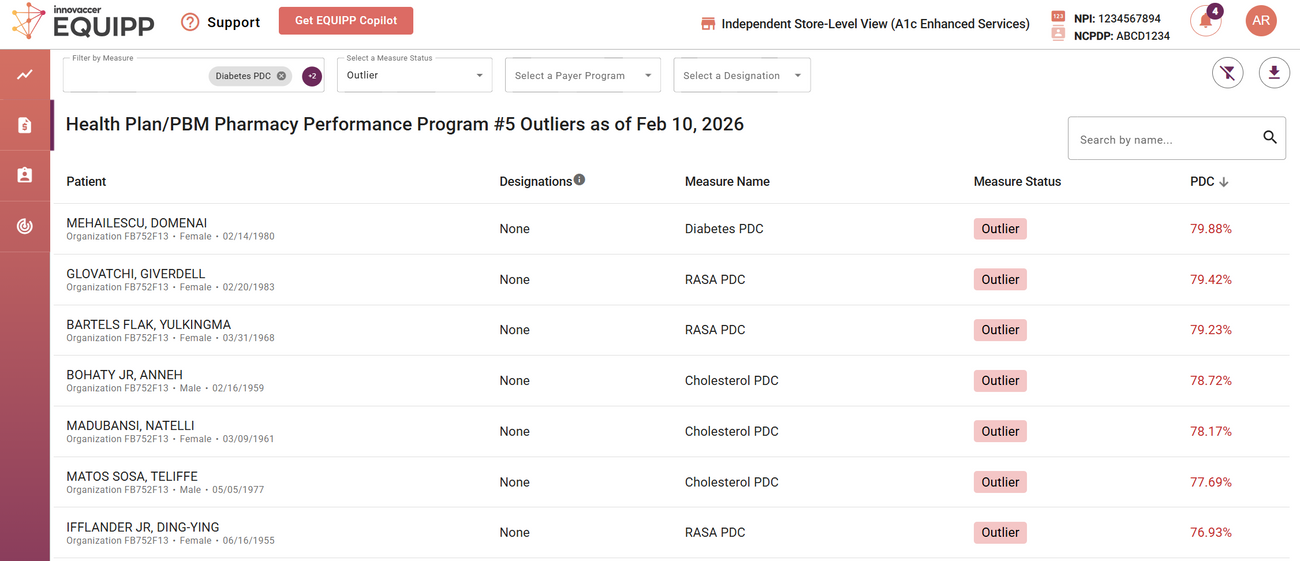
4. Access Patient Outliers
Select the orange View Latest Outliers button to view patient-level opportunities impacting performance.
5. Take Action
From the outliers list, review and document as appropriate to address performance gaps.